How it works
Your club online tonight, in four steps.
No installer, no onboarding call, no spreadsheet. This is the actual product, with a demo club's real data.
Free for 14 days, nothing charged until the trial ends · no commission on bookings
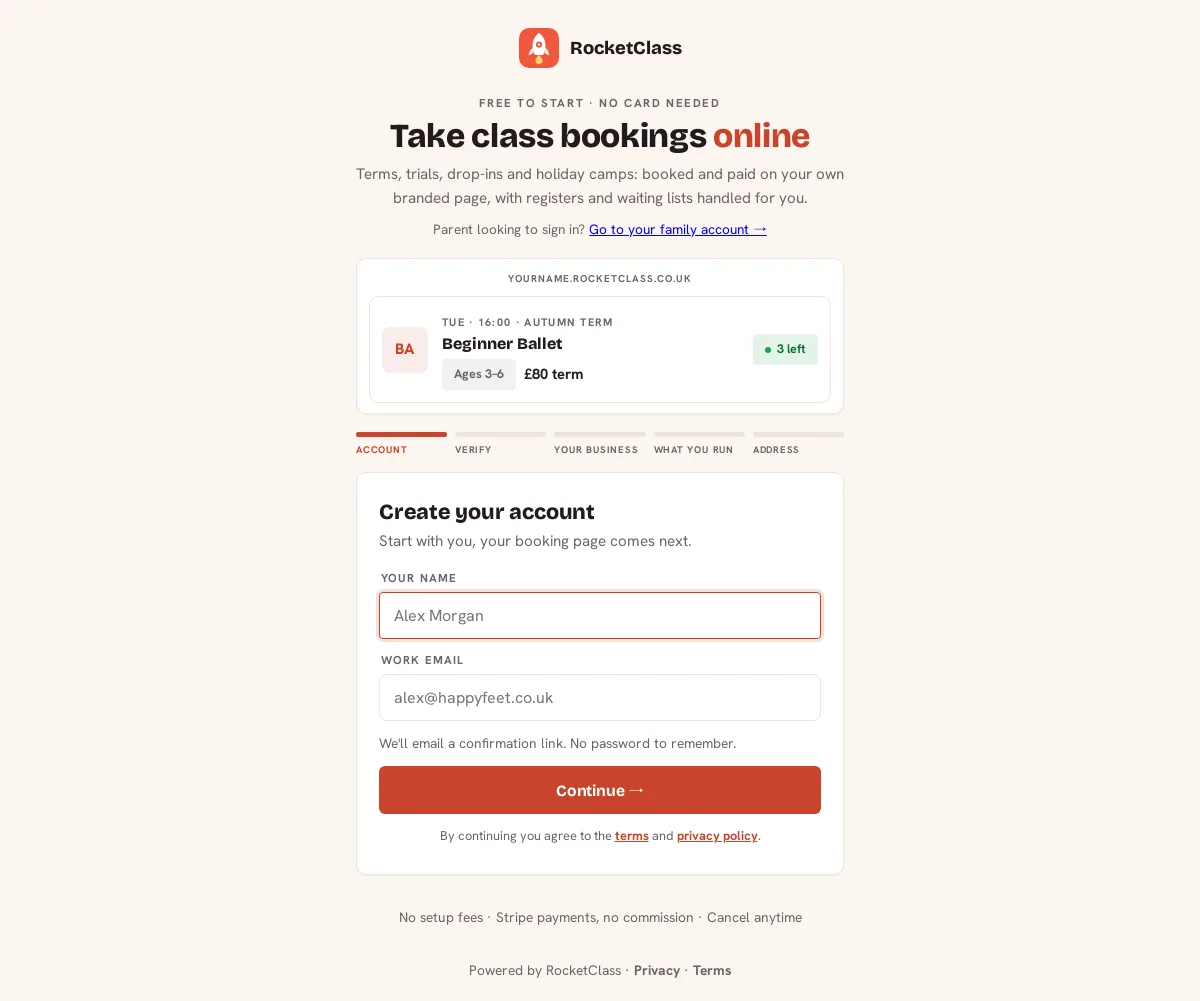
Create your club
Sign up and name it. That's the setup.
Pick your web address, colours and logo, and tell us what you run. Your branded booking site exists immediately at yourname.rocketclass.co.uk. No developer, no theme to configure.
Publish a class
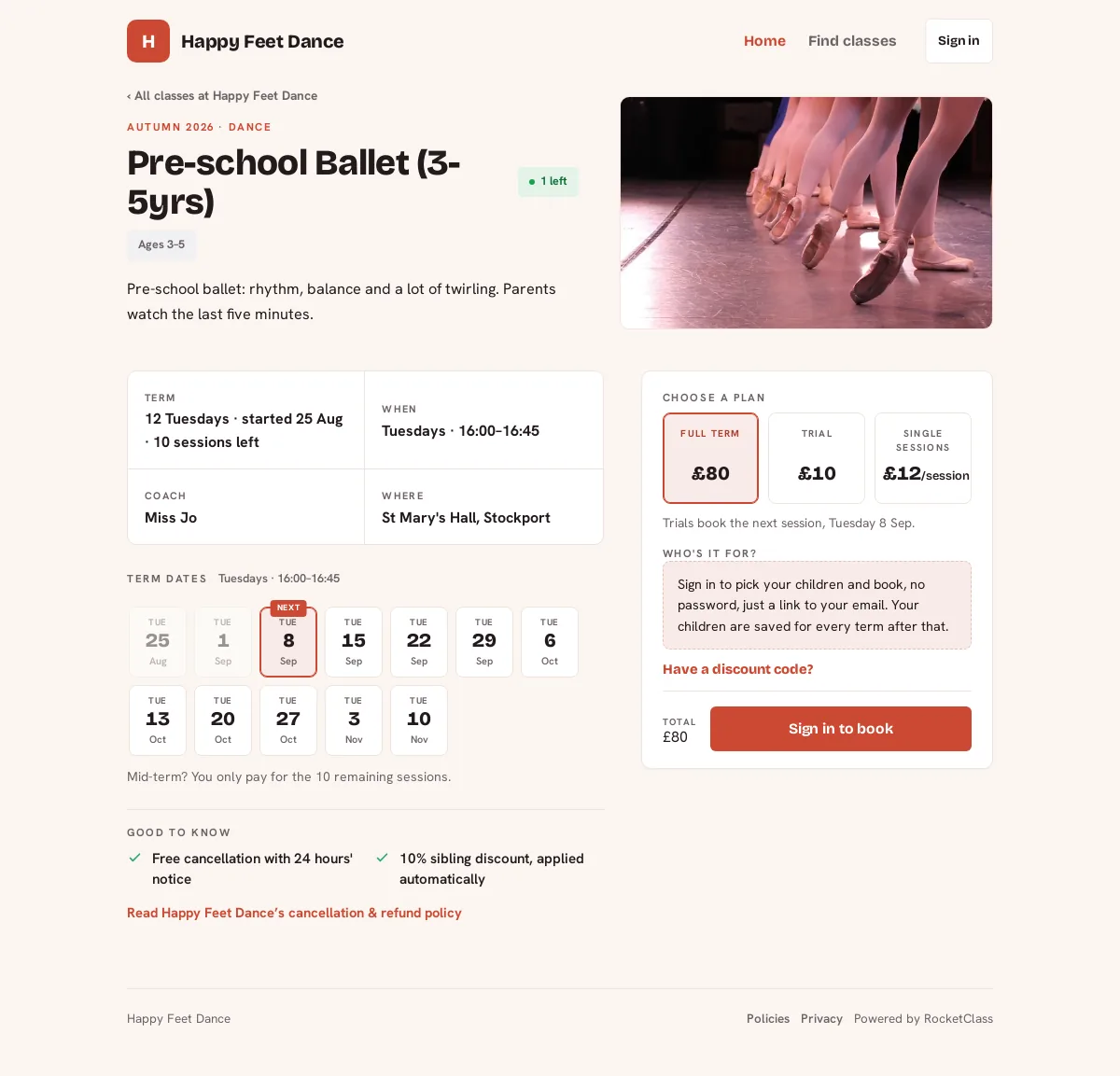
Parents book in under a minute, on any phone.
Add your terms, camps, trials and drop-ins in one guided flow, with every session date editable before it goes live. Families book in a few taps and their children's details are saved for next time, so there's no half-finished booking to chase.
Run the day from your pocket
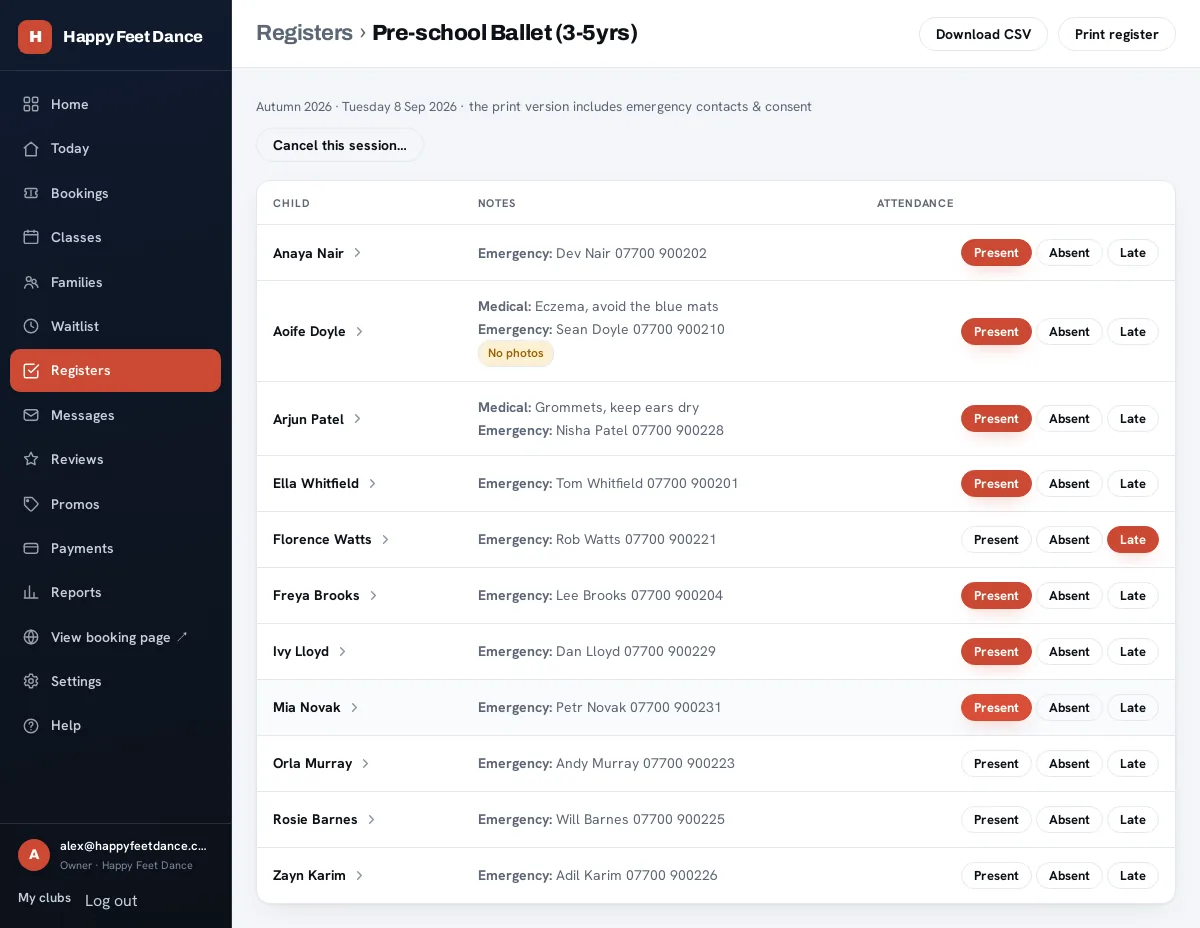
One tap per child. Medical notes where you need them.
Every session's register on your phone: mark present, absent or late with a tap, with allergies, medical notes and emergency contacts right there. Need paper for the hall wall? Print a proper A4 register in one click.
Watch it run itself
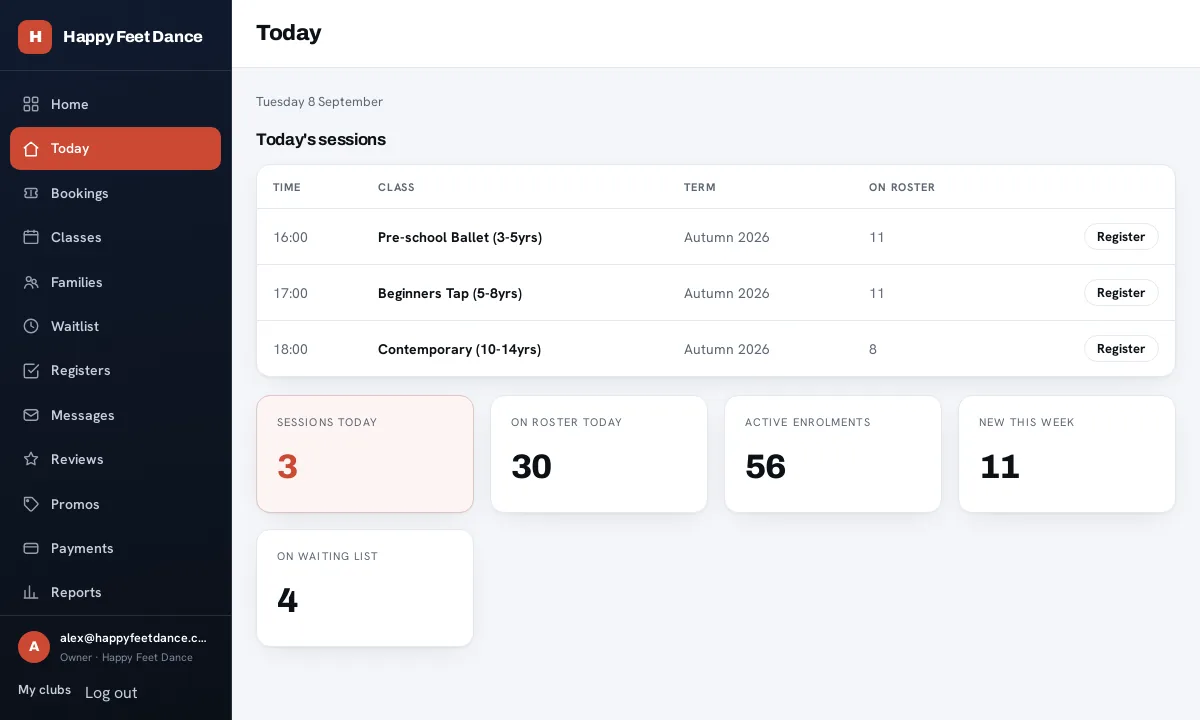
Bookings, payments and the waiting list, handled.
Card payments land straight in your own Stripe account. We take no commission (only Stripe's standard card fees apply). Full class? The waiting list offers a returned place to the next family automatically. Your dashboard shows takings, rosters and who's new, at a glance.
That's the whole thing.
Start free, publish a real class this week, and only activate your plan when you're ready. No card to sign up; you add one when you activate, and nothing is charged for 14 days.